 School Inventory
Your janitorial stock register, without the paper
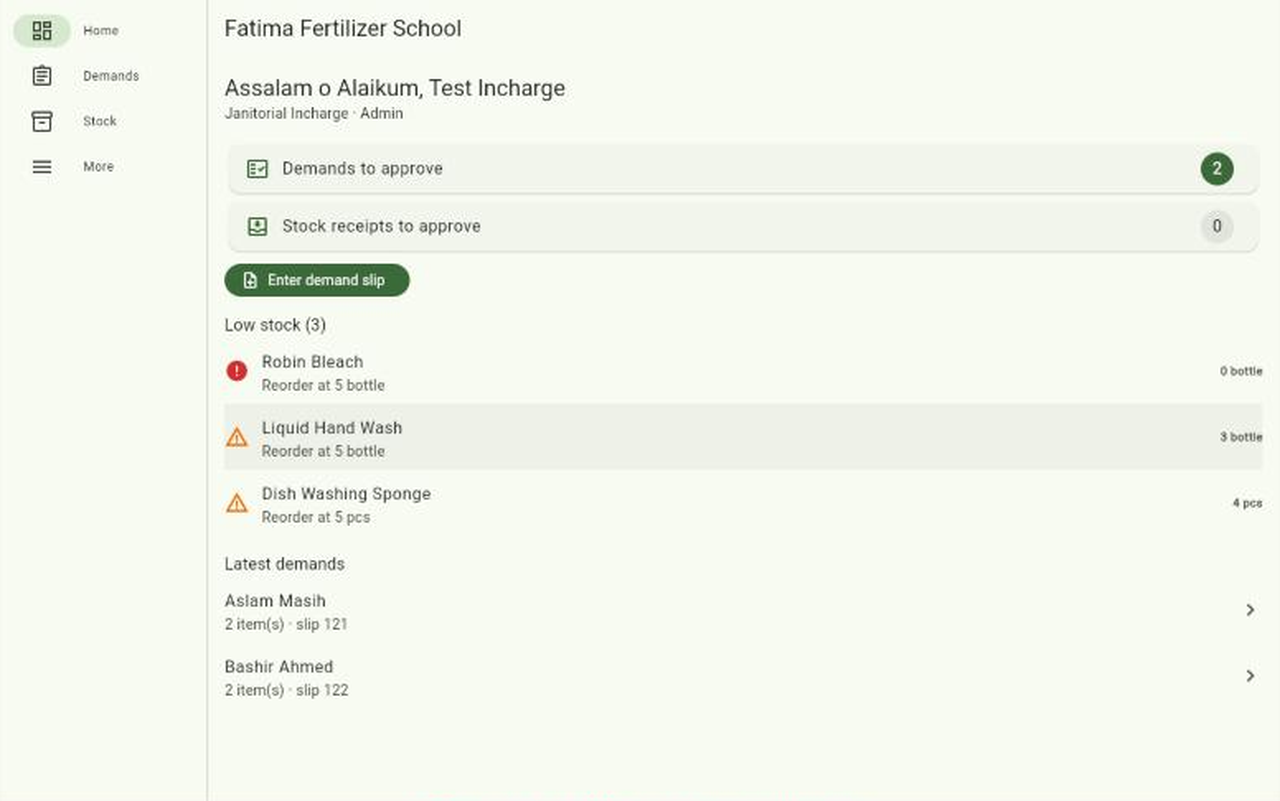
School Inventory follows the way your school already works. Staff bring a slip, the supervisor enters it, the incharge approves, and stock updates itself when items are issued.
Works on Android phones and in a desktop browser, with the same account and the same data.
How it works
- DemandJanitorial staff bring their paper slip. The supervisor enters it against their name.
- ApproveThe incharge sees it, can reduce quantities, and approves or rejects it.
- IssueThe supervisor hands over the items. Stock goes down and the history records who, what and when.
What you get
- Live stockThe balance of every item, with low-stock warnings at the level you set.
- Stock receivedPurchases and opening stock are added only after the incharge approves them.
- Full historyEvery movement is recorded and cannot be edited, so the register stays honest.
- Physical countsCorrect stock after a count, with the reason recorded.
- Monthly reportsIssued per item and per staff member, with a CSV export for Excel.
- Your own itemsStart from a standard janitorial list and add whatever your school keeps.
Who does what
- Janitorial staffNo phone or login needed. They keep using paper slips and are listed by name.
- SupervisorEnters slips, records stock received, issues items and keeps the item list.
- InchargeApproves demands and receipts, corrects stock after a count, and sees reports.
When the incharge changes, the school admin reassigns the role in a moment and all the history stays.
Getting started
- Create your schoolThe first person signs up and becomes the admin.
- Invite your teamShare the 6-letter school code. The admin approves each person.
- Enter opening stockRecord what is on the shelf today and start using it.